Trade on Exnova in 2026: Beginner-Friendly Guide to Profitable Strategies

In this beginner-friendly guide, you’ll learn how to trade on Exnova, explore practical and potentially profitable strategies, and understand essential risk management techniques to help you trade more confidently and responsibly.

Exnova Trading Overview Process
Exnova is a binary options platform that lets you trade on price direction across dozens of financial markets — crypto, forex, stocks, commodities, and indices. Unlike traditional investing, you are not buying the asset itself. You are simply predicting whether its price will go up or down within a set time period.
If your prediction is correct when the timer expires, you earn a fixed payout. If not, you lose the amount invested in that trade. It is fast, straightforward, and accessible — but it requires preparation before you put real money on the line.
Are You Ready to Trade?
Run through this checklist before opening your first live position:
| Requirement | Status |
|---|---|
| Account registered and email confirmed | ✔ Required |
| Identity verification completed | ✔ Required |
| Live account funded | ✔ Required |
| Demo account practised | Strongly Recommended |
| Stable internet connection | ✔ Required |
| Familiar with the trading interface | Strongly Recommended |
Before trading, make sure you have completed all the necessary setup steps:
Starting Point: Demo vs Real Trading
When you first access Exnova, you typically have two choices:
Demo Account
- Comes with virtual funds (often around $10,000)
- No financial risk
- Ideal for testing strategies
Real Account
- Requires a deposit (starting around $10)
- Real profits and losses
- Used when you’re ready to trade seriously
A smart approach is to begin with demo trading before switching to real funds.
How to Start Trading on Exnova — Step-by-Step
Step 1 — Access the Official Exnova Platform
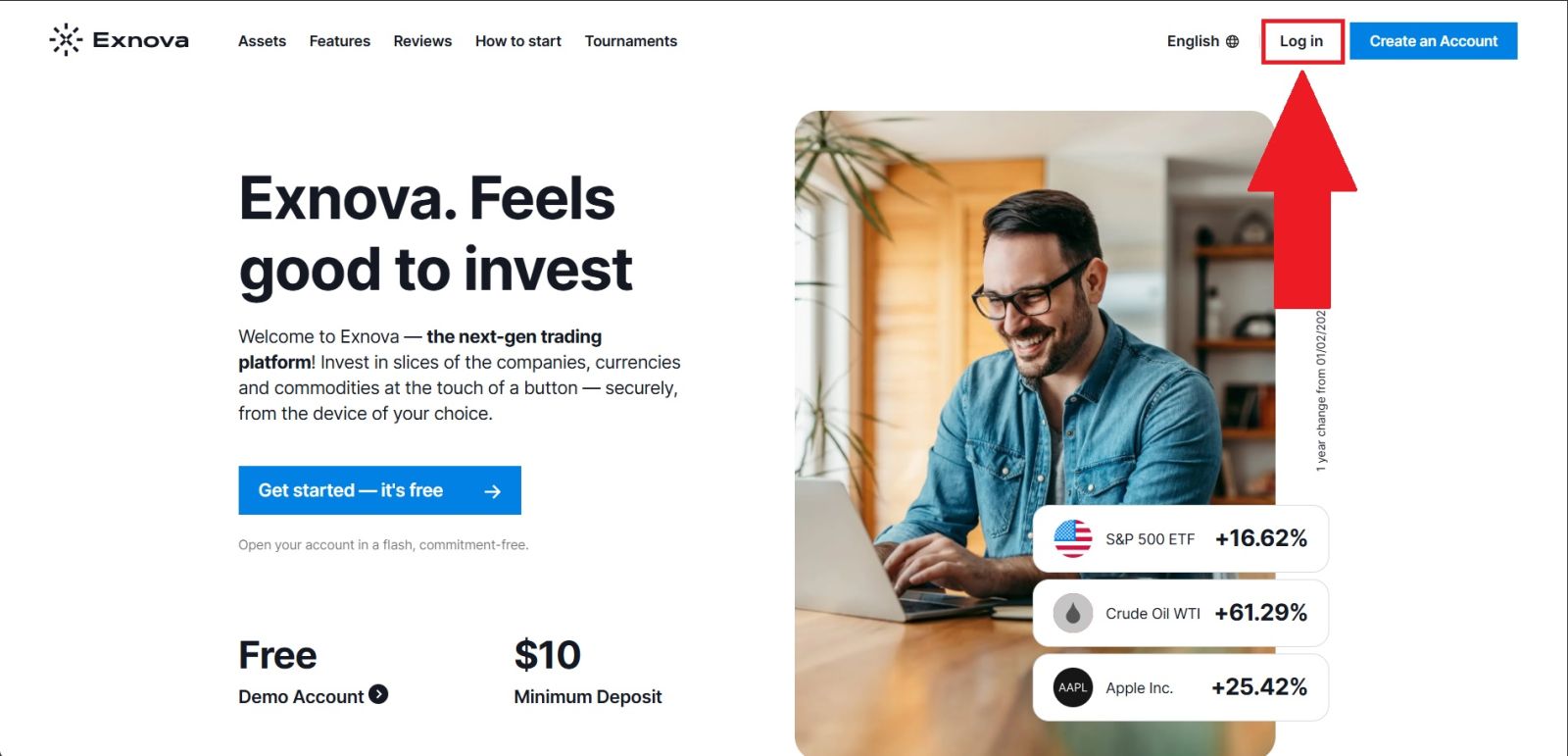
Open your browser and navigate to the official Exnova website. Before logging in, always confirm that the URL is correct to protect yourself from phishing or fake websites that imitate the platform.
Once verified, click the [Log in] button on the homepage, enter your registered email and password, and proceed to your personal trading dashboard.
Step 2 — Open the Trading Interface
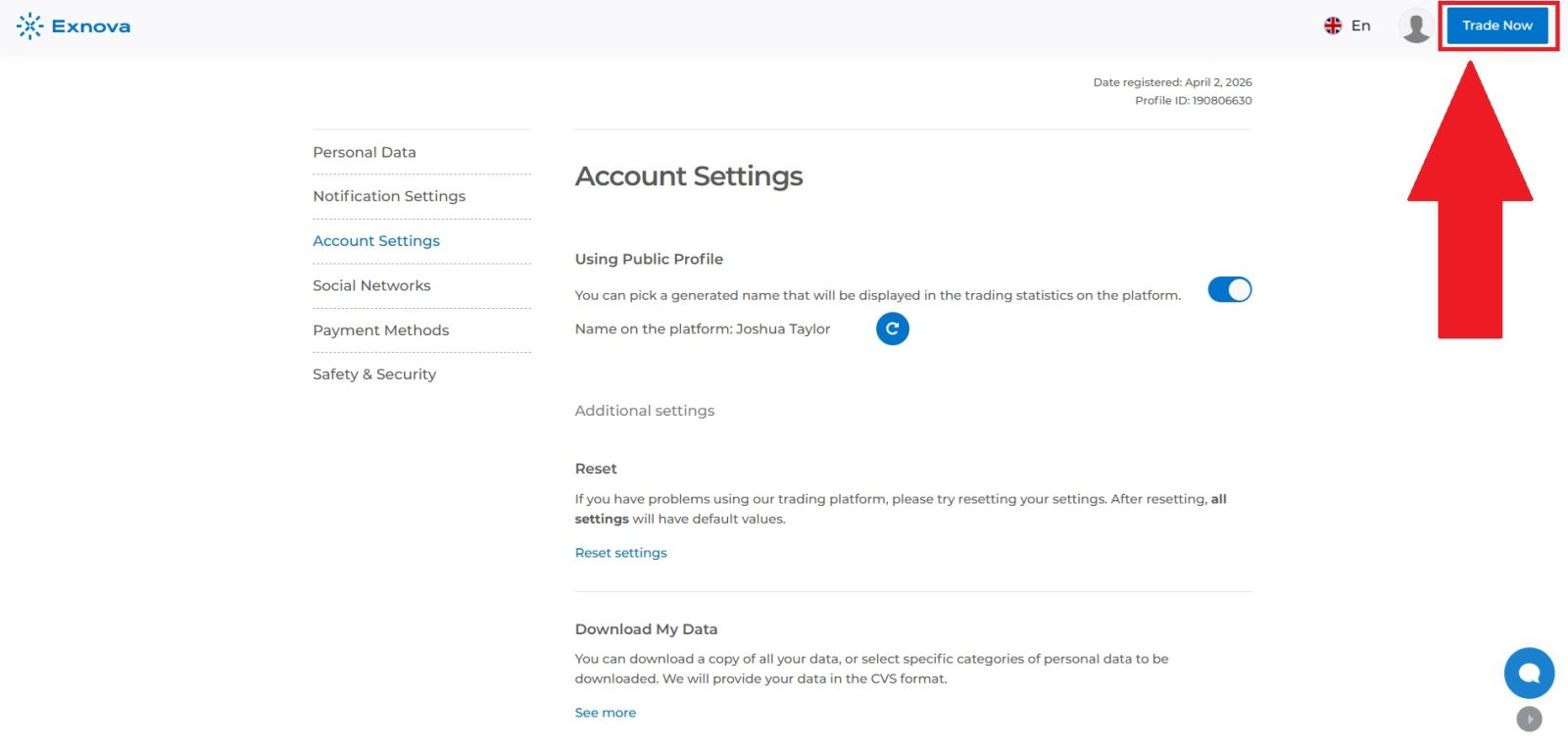
After logging in successfully, click on the [Trade] button from the main navigation to enter the live trading environment. Exnova uses a web-based platform that requires no additional software downloads, making it instantly accessible from any device with a browser.
You will be taken directly to the trading screen where all the tools, charts, and controls needed to place trades are available in one place.
Step 3 — Understand the Trading Interface
Before placing any trade, take a moment to familiarise yourself with the layout. For beginners especially, understanding what each element does is essential for making informed decisions and avoiding unnecessary errors.
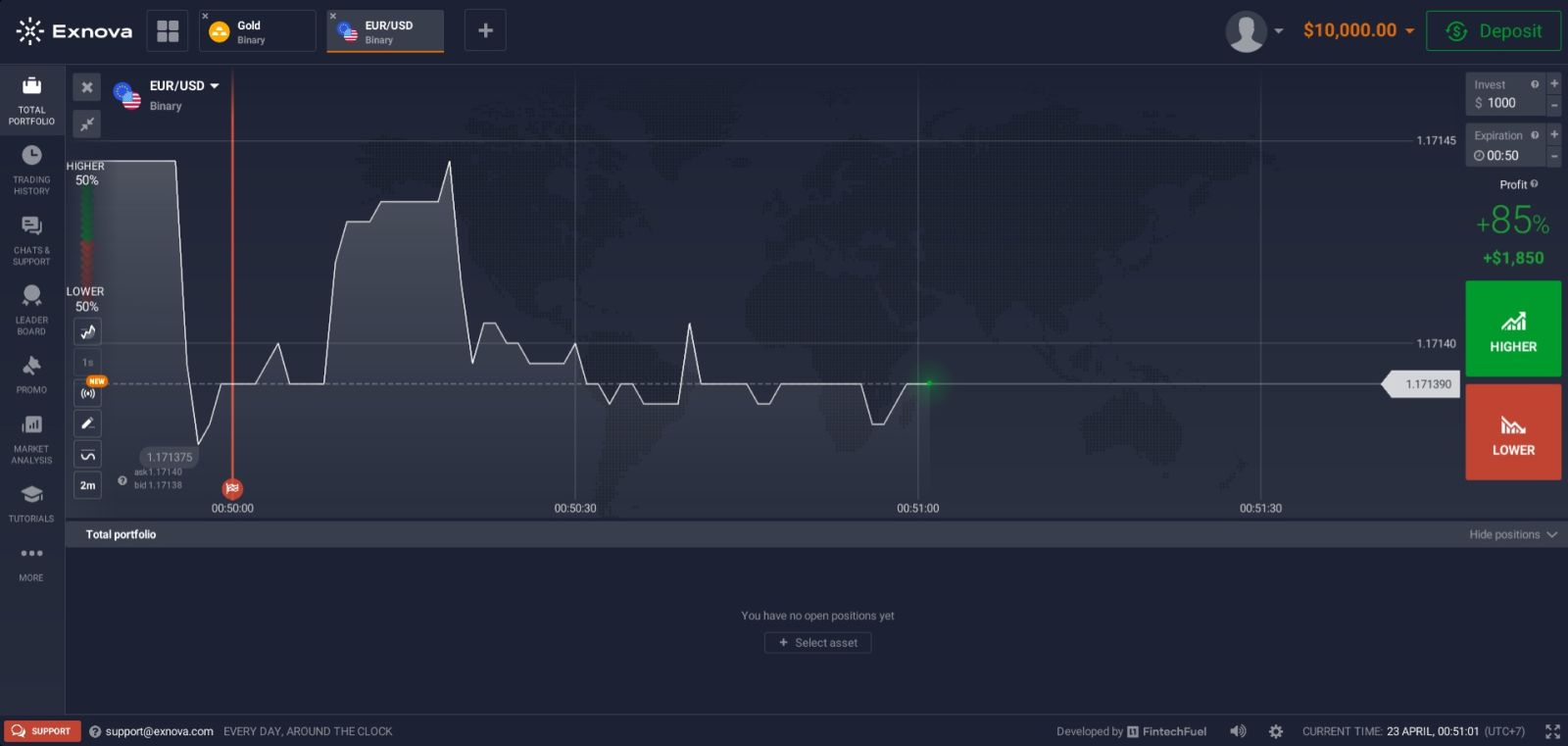
Here is a breakdown of the key components you will see on the Exnova trading screen:
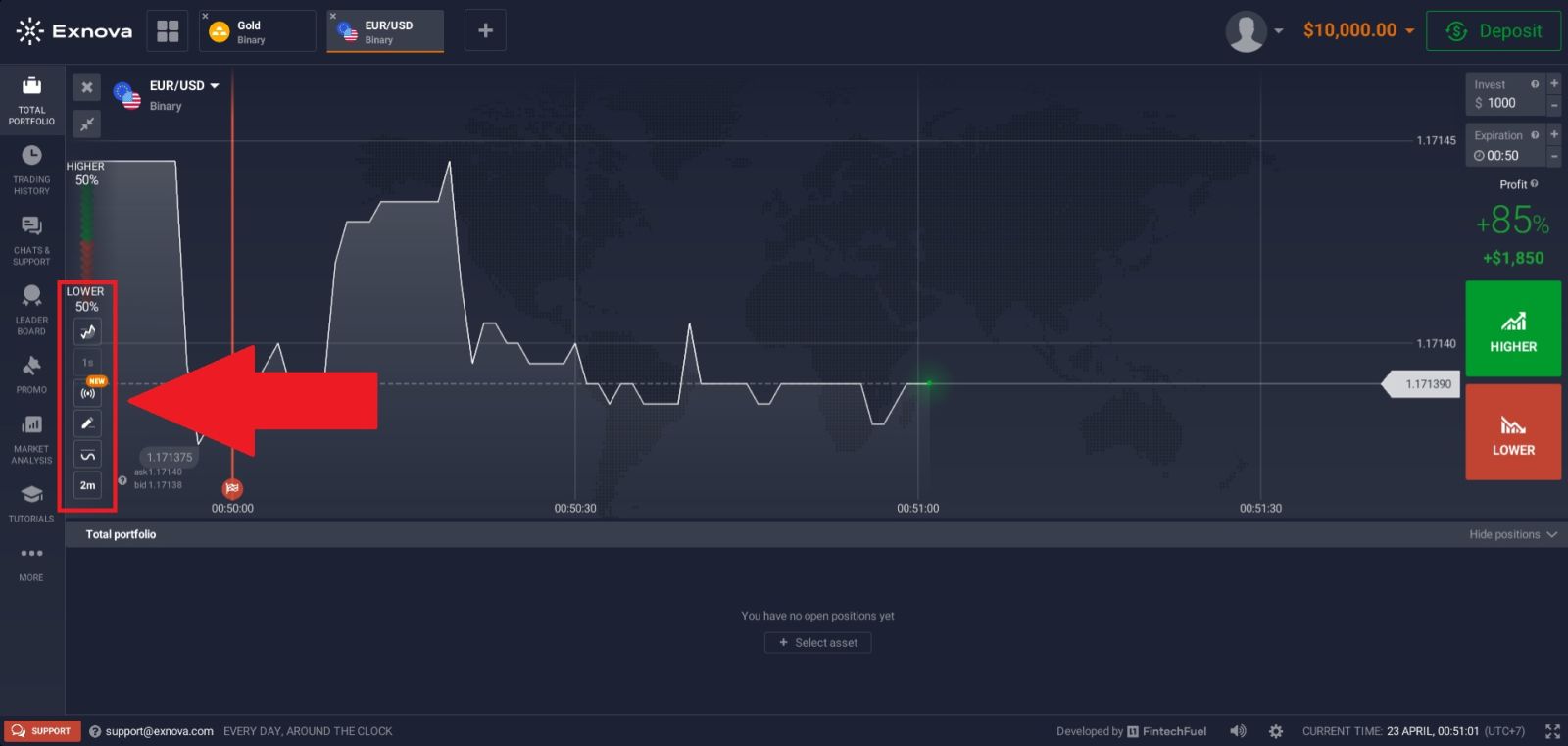
1. Trade Panel Found on the right side of the screen, this is where you set your trade parameters—including your investment amount, trade duration, and predicted direction.
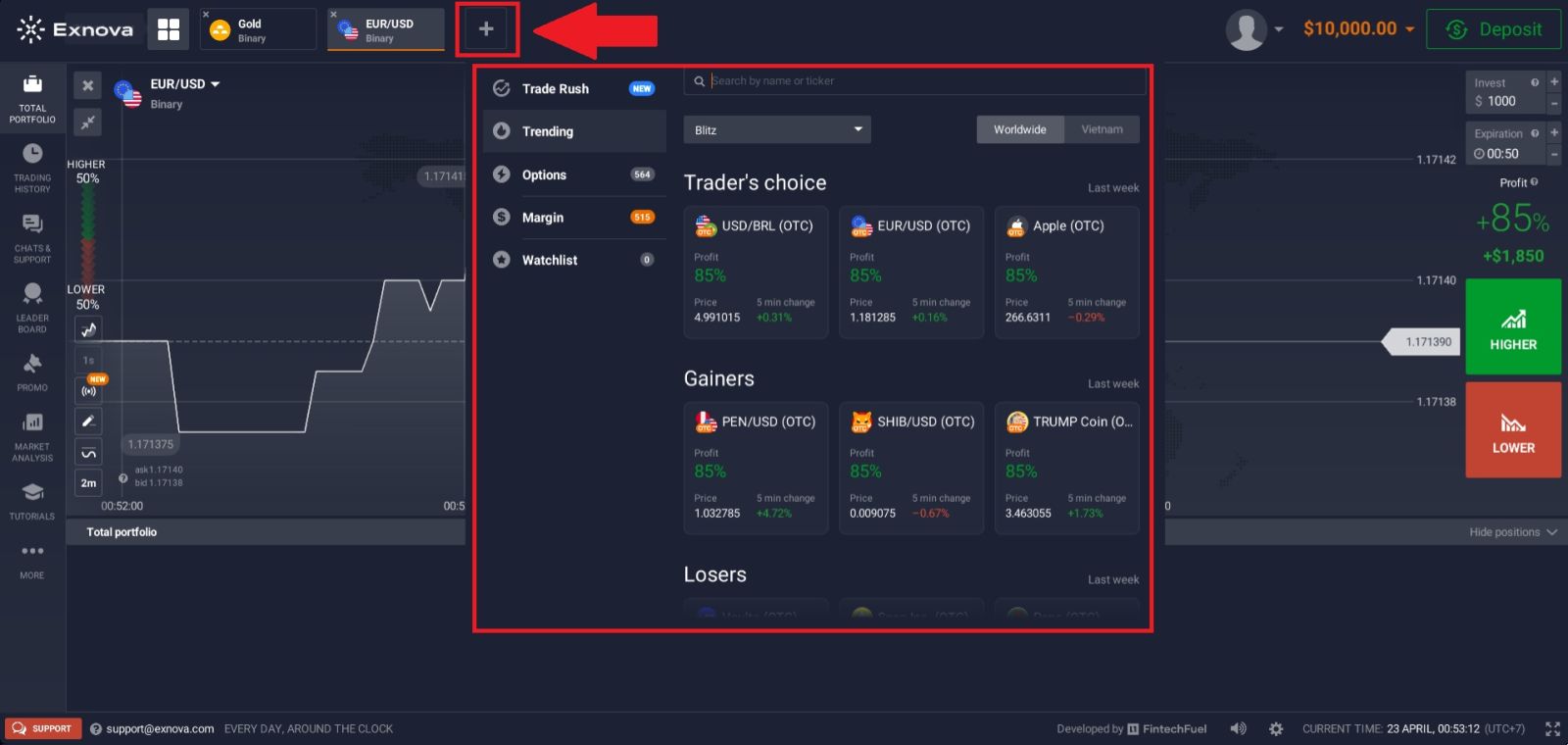
 2. Asset Watchlist: Located at the top of the screen, this allows you to browse and switch between available trading instruments, including currency pairs, cryptocurrencies, commodities, and stock indices.
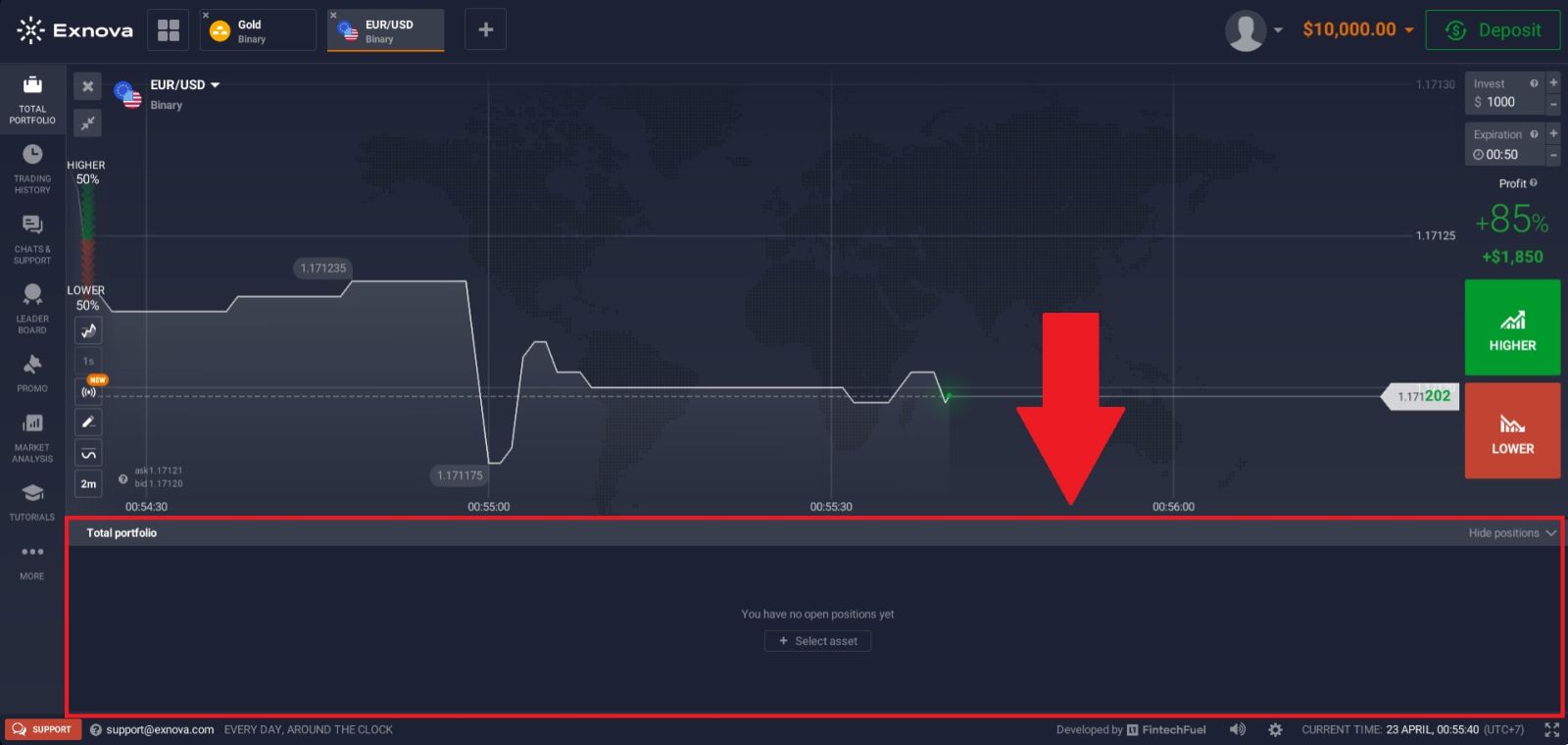
3. Active Trades Panel At the bottom of the trading screen sits the Active Trades section, which gives you a real-time overview of everything happening in your account.
This panel is divided into several tabs, each serving a specific purpose — including your currently open positions, completed trade history, account notifications, and performance records. It is your central hub for tracking what is happening with your trades at any given moment.
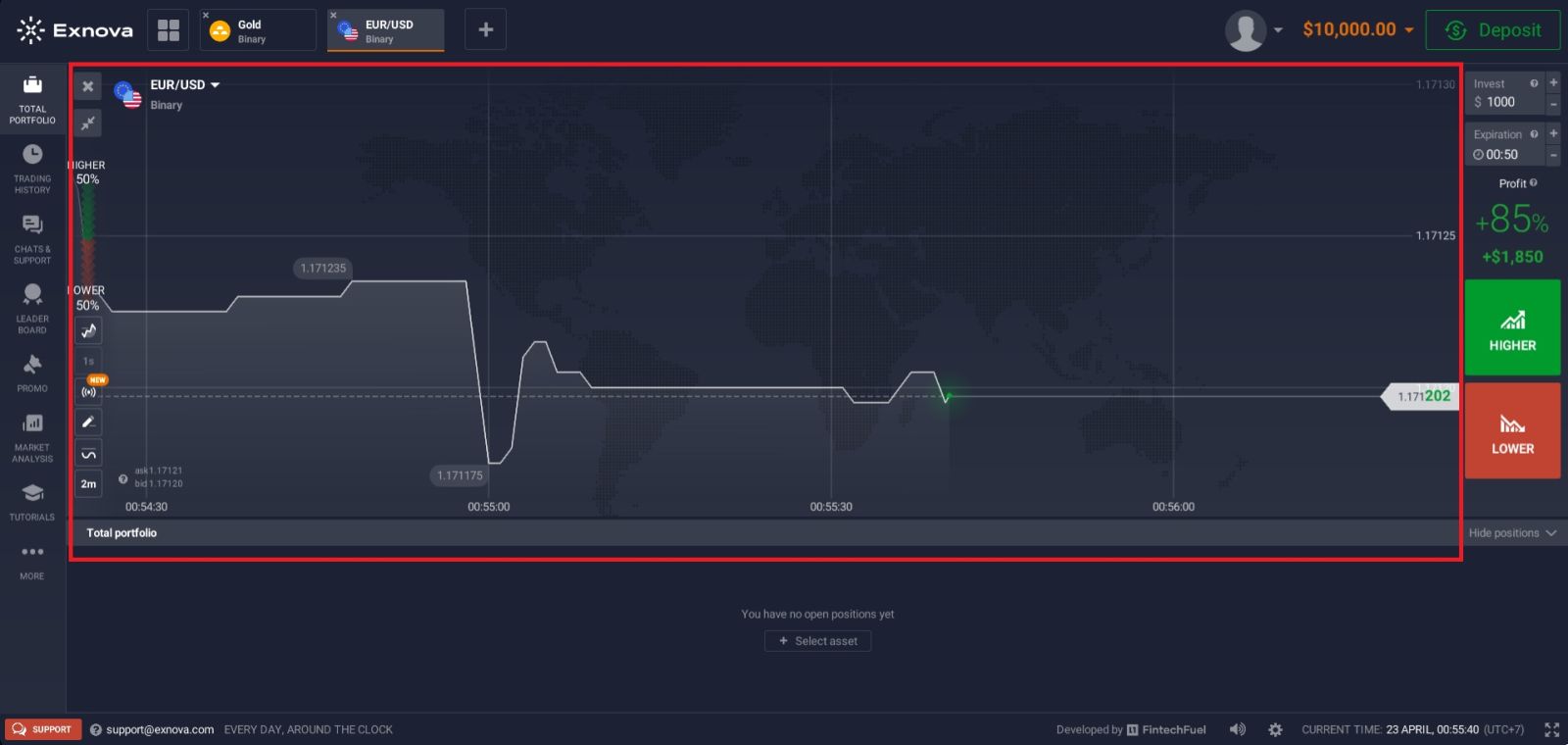
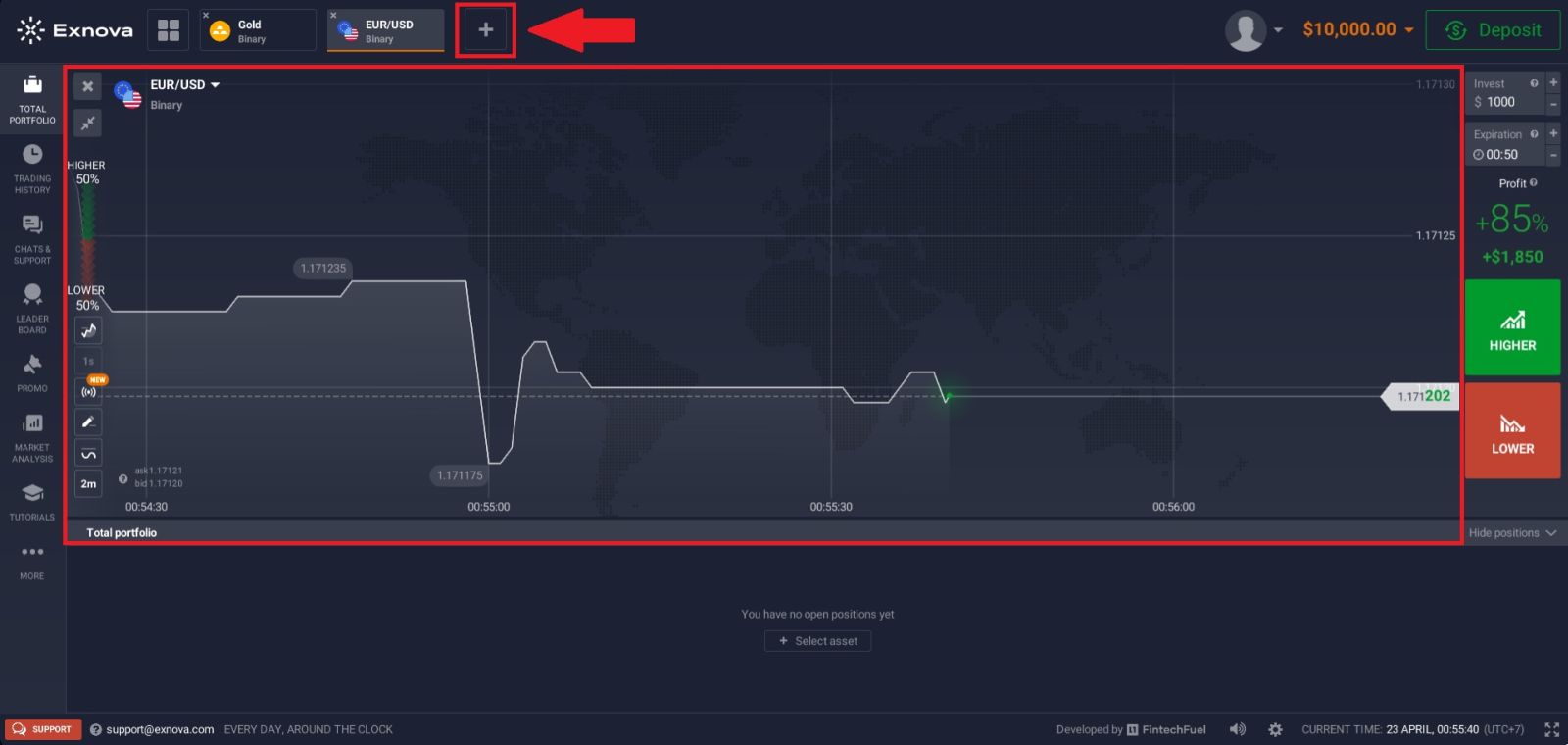
 4. Price Chart — Centre of screen displays live price movement for your selected asset. You can change the chart timeframe, zoom in and out, and overlay technical indicators to support your analysis.
Step 4 — Select Your Asset
Use the asset panel to choose what you want to trade. Consider the following when deciding:
| Asset Type | Examples | Best For |
|---|---|---|
| Forex Pairs | EUR/USD, GBP/USD | Beginners — high liquidity |
| Cryptocurrency | BTC, ETH, LTC | Volatile, higher risk/reward |
| Commodities | Gold, Silver, Oil | Trend-based strategies |
| Stock Indices | SP 500, NASDAQ | Broader market exposure |
| Individual Stocks | Major global shares | Company-specific analysis |
Tip for beginners: Start with major forex pairs like EUR/USD. They are highly liquid, well-documented, and easier to analyse than crypto.
Step 5 — Set Your Trade Parameters
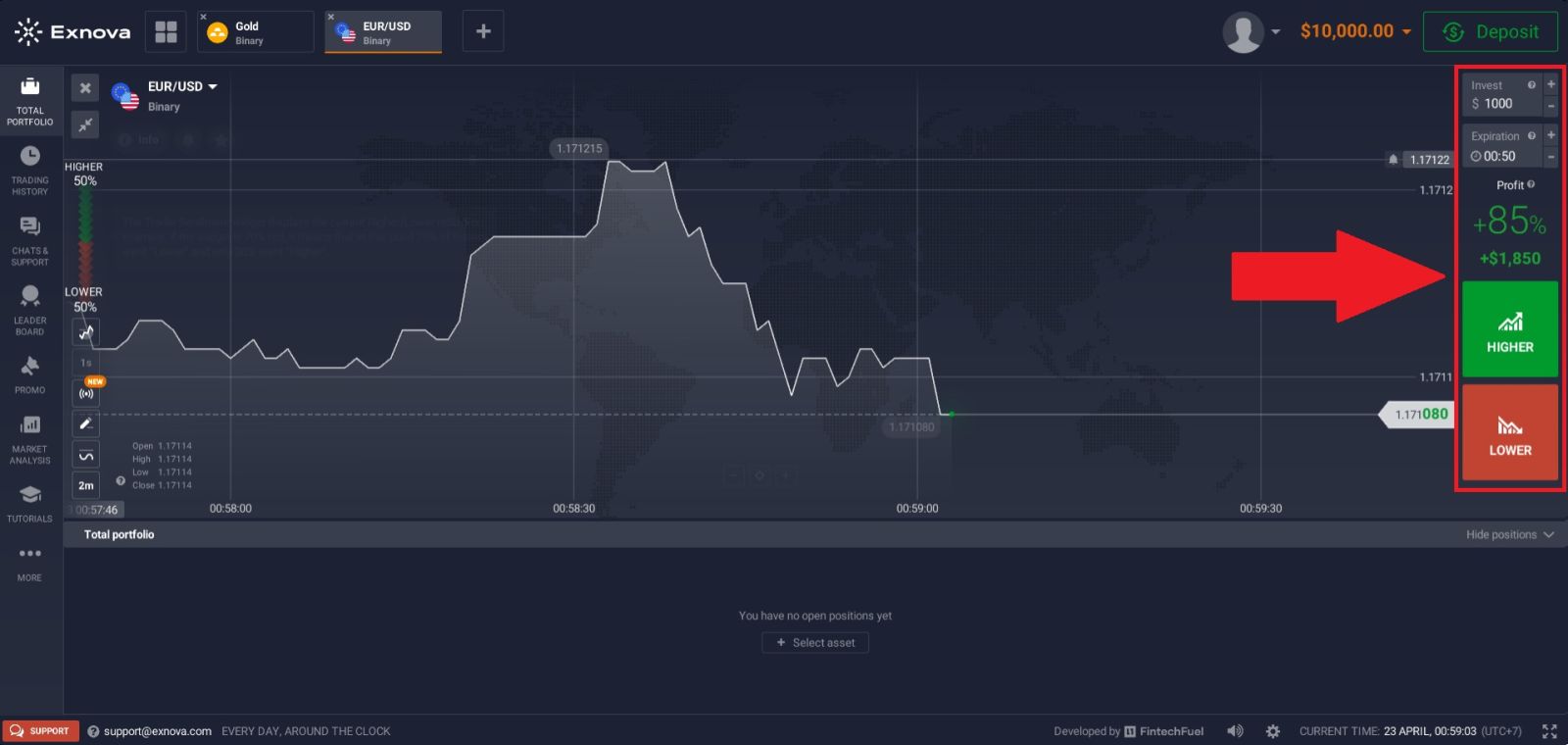
Once you have made your analysis, configure the trade in the panel on the right:
① Investment Amount Enter how much of your balance you want to risk on this trade. A common rule is to never exceed 2–5% of your total balance on a single position.
② Expiry Time Choose how long the trade will run before the result is determined. Options typically range from 60 seconds up to several hours. Shorter expiries are faster but more unpredictable.
③ Trade Direction This is your prediction:
- 🟢 UP / Higher — you expect the price to be higher at expiry than it is now
- 🔴 DOWN / Lower — you expect the price to be lower at expiry than it is now
④ Payout Preview Before confirming, check the displayed payout percentage. This tells you exactly how much you stand to earn if the trade closes in your favor.
Risk Management — The Part Most Beginners Skip
Getting the direction right matters, but managing your risk is what keeps you in the game long enough to improve. Follow these principles from day one:
| Rule | Why It Matters |
|---|---|
| Risk only 1–5% per trade | Prevents a single loss from damaging your account |
| Set a daily loss limit | Stops emotional trading after a bad streak |
| Use demo before going live | Lets you test strategy without financial consequence |
| Never chase a loss | Doubling up after losses leads to faster account depletion |
| Keep a trade journal | Reviewing your results reveals patterns and mistakes |
Mistakes That Cost Beginners the Most
Trading without a plan Randomly picking assets and directions is not a strategy — it is gambling. Have a clear reason for every trade you enter.
Overtrading More trades does not mean more profit. Quality setups matter more than volume. Learn to wait for the right conditions.
Ignoring the demo account The demo account exists for a reason. Use it to test your approach thoroughly before risking real money.
Investing too much per trade Large position sizes turn normal losing streaks into account-ending events. Keep your risk per trade small and consistent.
Letting emotions drive decisions Fear and greed are the two biggest enemies of a trader. Stick to your rules regardless of recent results.
Staying Safe While Trading
- Only trade through the official Exnova website — verify the URL every time
- Use a strong, unique password and update it regularly
- Never share your account credentials with anyone
- Be cautious of third-party signals, bots, or services claiming guaranteed returns
- Review your account activity regularly for anything unusual
Continue Your Exnova Journey
| Guide | Link |
|---|---|
| 📝 How to Register | click here |
| 🔑 How to Log In | click here |
| ✅ How to Verify | click here |
| 💰 How to Deposit | click here |
| 💸 How to Withdraw | click here |
Recommended path: Register → Verify → Deposit → Practice on Demo → Trade Live → Withdraw
Conclusion: Trade on Exnova with Confidence and a Smart Strategy
Trading on Exnova becomes more effective when you follow a clear approach, apply proven strategies, and manage risk carefully. By understanding market behavior, choosing the right assets, and setting realistic goals, beginners can make more informed trading decisions.
Consistency, discipline, and continuous learning are key to improving performance over time. With the right mindset and strategy, Exnova provides a solid platform for building skills and pursuing long-term trading success.